

Table of Contents
- Why Proximity Changes the Economics of IT Support
- IT Support Response Time and Service Level Agreements That Actually Protect You
- Managed IT Services for Small Business: Predictable Costs, Fewer Surprises
- IT Infrastructure Security Best Practices a Local Partner Brings On-Site
- Hybrid vs. Fully Local Support Models: Which Fits Your Firm
- Cost-Benefit Analysis for Small vs. Mid-Sized Firms
- How to Vet Local IT Providers Before You Sign
- Frequently Asked Questions
Last Updated: September 14, 2026
Why Proximity Changes the Economics of IT Support
When a server fails at a San Jose medical practice, the value of local bay area it support becomes the most expensive variable in the room. The benefits of local bay area it support start there: a provider on-site in under an hour versus one dispatching a contractor from three states away.
At Computer Experts Corp, we’ve watched this play out across medical, legal, and startup clients. Every hour of downtime compounds, and proximity is the one variable that shortens it.
What “local” actually buys you isn’t just faster arrival. It’s a technician who knows your building’s wiring quirks, your ISP’s regional reliability patterns, and which hardware vendors honor their warranties here. That tribal knowledge doesn’t exist inside a national call center.
The U.S. Cybersecurity and Infrastructure Security Agency’s guidance on essential infrastructure resilience makes a related point: recovery speed depends on pre-established relationships and known environments, not on generic playbooks. Local IT support is that relationship, operationalized.
IT Support Response Time and Service Level Agreements That Actually Protect You
An IT support response time service level agreement is a written contract specifying how quickly a provider must acknowledge, diagnose, and resolve issues, plus the remedies if targets are missed. Without one, “we’ll get to you soon” is the entire guarantee.
The Four Numbers Every SLA Should Name
A real SLA guarantees four things: a response window, a resolution target, an escalation path, and a remedy when the provider misses. Most contracts only promise the first.
Response time is when someone answers; resolution time is when the problem is fixed. A provider can hit a 15-minute response target while leaving your network down for six hours. Read both numbers, and demand credits or fee reductions when either is missed.
A workable SLA also separates tickets by severity, because a locked password and a dead server should not share a clock:
| Severity | Typical Example | Common Response Target | Common Resolution Target |
|---|---|---|---|
| Critical | Server down, no network, ransomware | 15-30 minutes | 4 hours |
| High | One department offline, email down | 1 hour | 8 hours |
| Medium | Single user blocked, printer failure | 4 hours | 1 business day |
| Low | New-user setup, software request | 1 business day | 3 business days |
Those ranges reflect common industry practice, not a universal standard, your contract should name a number for each tier, not one blanket promise.
How Response and Resolution Are Actually Measured
The clock should start when the ticket is submitted through a defined channel, phone, email, or portal, not when a technician notices it. Ask how the provider logs that timestamp and whether you can see it. If the start time is invisible, the target is unenforceable.
Two measurement details trip up most buyers:
- Business hours vs. 24/7. A “1-hour response” that only runs 9-to-5 Monday through Friday is a very different commitment than one that runs around the clock. State which hours each severity tier covers.
- Pause rules. Some contracts stop the resolution clock while the provider waits on a vendor or on your approval. That is reasonable, but the pause conditions should be written down, not improvised.
Watch Out
The most common mistake is signing an SLA that measures response only. A provider can acknowledge your ticket in minutes and still leave you offline all day. Insist on resolution targets with financial remedies attached.
What Remedies Look Like in Practice
A remedy is what you get when the provider misses: service credits on the next invoice, a percentage reduction in the monthly fee, or a right to terminate without penalty after repeated misses. The dollar figures belong in your contract, but the structure should be explicit, which tier triggers a credit, how it’s calculated, and how you claim it.
Ask one question that exposes weak contracts: “Show me a month where a client received a credit.” A provider with an enforceable SLA can answer. A provider with marketing language cannot.
On-Site vs. Remote Guarantees
Where a downed system halts patient intake or billing, ask about on-site response guarantees versus remote-only commitments. Remote assistance handles software issues quickly, but hardware failures and network outages require someone physically present, and the SLA should say how fast that person arrives, not just how fast someone replies.
Key Takeaway
Before signing, confirm four written numbers per severity tier: response window, resolution target, escalation contact, and the credit you receive when either target is missed. If any of the four is missing, the SLA is a promise, not a contract.
Managed IT Services for Small Business: Predictable Costs, Fewer Surprises
Managed IT services for small business replace unpredictable break-fix invoices with a flat monthly fee covering monitoring, maintenance, and support. The appeal isn’t just budgeting, problems get caught before they become emergencies.
Break-fix rewards providers for showing up after something breaks; managed service providers get paid to prevent the break. That inversion changes behavior at every level.
Typical inclusions in a managed agreement:
- 24/7 network monitoring and alerting
- Patch management and software updates
- Data backup with tested disaster recovery
- Help desk access for staff
- Cybersecurity tools and threat mitigation
What’s often excluded: major hardware purchases, large migration projects, and after-hours on-site visits. Ask for the exclusions list in writing before signing anything.
Pro Tip
Request a line-item breakdown of what triggers an extra charge. The providers worth hiring will hand it over without hesitation. The ones who won’t are telling you something.
IT Infrastructure Security Best Practices a Local Partner Brings On-Site
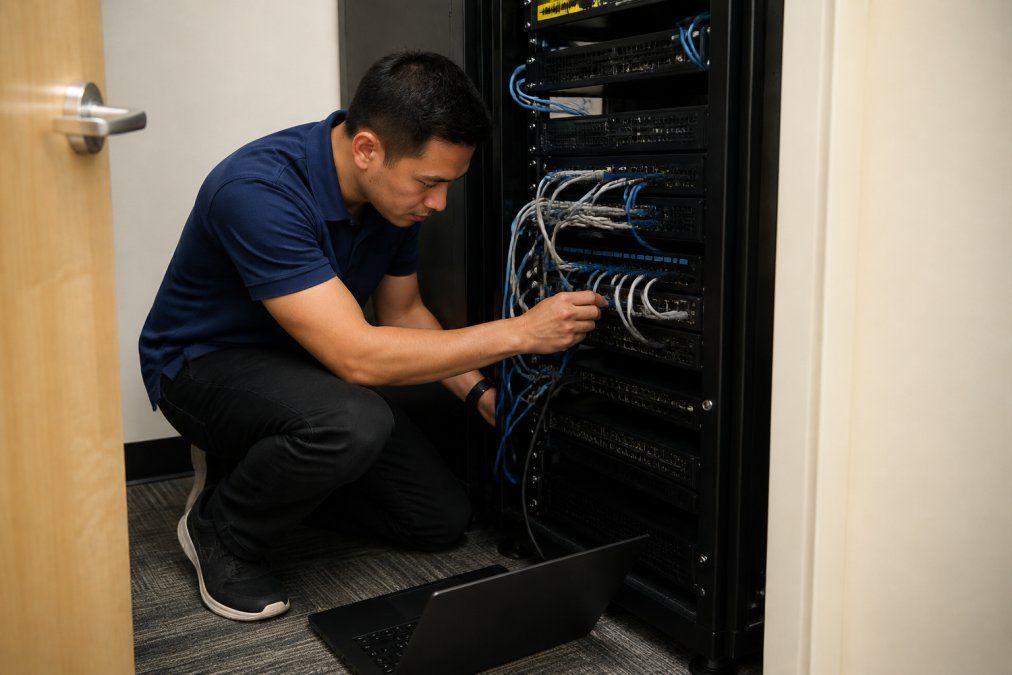
IT infrastructure security best practices only work when someone can physically verify them. A firewall configuration looks correct on a dashboard. Walking into the server closet and finding an unmanaged switch plugged in behind it is how you discover the gap.
On-site presence catches what remote monitoring cannot:
- Unauthorized devices on the network
- Physical access vulnerabilities in wiring closets
- Outdated hardware running unsupported software
- Backup drives that haven’t actually run in weeks
For medical and legal practices, this ties directly to compliance. HIPAA and client confidentiality requirements demand documented safeguards, and an on-site partner can perform the HHS Office for Civil Rights guidance on the HIPAA Security Rule audit that proves them. Remote-only providers can configure systems, but they can’t confirm a locked cabinet is actually locked.
Hybrid vs. Fully Local Support Models: Which Fits Your Firm
Hybrid support combines remote monitoring with scheduled on-site visits; fully local support keeps a technician available for immediate dispatch. The right model depends on how much of your infrastructure is physical.
A cloud-only startup rarely needs same-day physical presence, remote assistance plus quarterly on-site audits covers nearly everything. A dental practice with imaging equipment, networked printers, and a server closet needs someone who can walk in the door.
| Model | Best For | Typical Response | Cost Profile |
|---|---|---|---|
| Fully remote | Cloud-only startups | Minutes (remote) | Lowest |
| Hybrid | Growing firms, mixed infrastructure | Hours remote, scheduled on-site | Moderate |
| Fully local | Medical, legal, logistics | Under an hour on-site | Highest |
Most Bay Area firms land in the hybrid column and stay there. The mistake is choosing fully remote to save money, then discovering the one thing remote support cannot fix is the thing that takes you offline.
Cost-Benefit Analysis for Small vs. Mid-Sized Firms
Small firms often save with managed services because they can’t justify a full-time IT hire. Mid-sized firms must weigh managed fees against the loaded cost of internal staff plus tooling.
For a startup, outsourcing IT management can cost less than one salaried technician once you add benefits, training, and turnover. For a larger firm, you may need both an internal IT lead and a managed provider handling heavy infrastructure work.
The variable most firms miss is downtime cost. A Santa Clara logistics operation losing wireless access loses shipments in real time; a law firm losing document access loses billable hours. Price those hours in, and predictable monthly fees start looking like insurance.
Key Takeaway
Run the comparison on three numbers: monthly managed fee, fully loaded internal IT cost, and the hourly cost of downtime. The third number usually decides the question.
How to Vet Local IT Providers Before You Sign
Vetting a local provider means verifying four things: physical presence in the region, documented response guarantees, relevant industry experience, and transparent pricing. Claims are easy; references from clients in your sector are not.
This is the step most buyers rush, and the one that determines whether the relationship works two years from now. Below is a checklist plus the follow-up questions that separate real answers from rehearsed ones.
The Vetting Checklist, and What a Good Answer Sounds Like
- Confirm the provider has a physical office within your service radius. Ask for the address and confirm it is a staffed office, not a virtual mailbox. A good answer names the city and the number of technicians based there.
- Ask for two references from businesses your size in your industry. A good answer provides them without hesitation and lets you call. A weak answer offers only a logo page.
- Request the full SLA, including resolution targets and remedies. A good answer sends the actual contract language. A weak answer sends a marketing one-pager.
- Get the exclusions list for what costs extra. A good answer itemizes what triggers an additional charge, major hardware, large migrations, after-hours on-site visits. A weak answer says “it depends.”
- Verify technician certifications for your compliance requirements. If you handle protected health information, ask which staff hold relevant security credentials and how they are kept current.
- Ask who answers the phone at 2 a.m. and where they sit. A good answer names the on-call rotation and confirms the person can access your systems. A weak answer routes you to a generic answering service.
- Confirm the contract term and exit conditions. A good answer states the term, the notice period, and how you retrieve your data and documentation if you leave.
Questions That Expose the Difference Between Providers
Beyond the checklist, a handful of questions reveal how a provider actually operates:
- “Walk me through your last major outage.” You want a specific story with a timeline and a fix, not a claim that outages do not happen.
- “Who owns the documentation?” Network diagrams, credentials, and configuration records should be yours. If the provider treats them as proprietary, your exit is expensive.
- “How do you handle a vendor warranty claim?” Local providers often know which manufacturers honor warranties quickly in your market. Ask for an example.
- “What happens when my needs outgrow your service?” A confident provider describes how it scales coverage or hands off cleanly. A defensive one dodges.
- “Can I see your ticket dashboard?” Transparency about response and resolution times is a strong signal.
Pro Tip
Request a line-item breakdown of what triggers an extra charge. The providers worth hiring will hand it over without hesitation. The ones who won’t are telling you something.
How to Compare Finalists Side by Side
Once you have two or three candidates, score them on the same criteria so the best salesperson doesn’t drive the decision:
| Criterion | What to Score |
|---|---|
| Local presence | Staffed office within your radius, technicians based there |
| SLA strength | Resolution targets and remedies per severity tier |
| Industry fit | References from your sector and size |
| Pricing transparency | Written inclusions and exclusions |
| Exit terms | Notice period, data retrieval, documentation ownership |
Weight the criteria by what matters most to your operation. A medical practice should weight compliance experience heavily; a cloud-only startup can weight local presence lower.
The 2 a.m. Test
The 2 a.m. question separates real 24/7 support from an answering service. If the person who picks up can’t access your systems, you have a message-taker, not a support desk. Ask directly, and ask for the on-call rotation.
Computer Experts Corp has served Bay Area businesses, practices, and homeowners as the region’s oldest IT service provider, with on-site and remote support around the clock. That history matters when you’re judging whether a provider will still be here in five years.
Key Takeaway
Vet on evidence, not promises: a staffed local office, references you can call, a full SLA with remedies, a written exclusions list, and clear exit terms. Score finalists on the same criteria so the choice survives the sales pitch.
Frequently Asked Questions
What are the primary benefits of choosing a local IT support provider?
A local provider can be on-site in hours instead of days, which matters when a server or network is down. You get technicians who know your building, your cabling, and your staff. Local firms also carry the regional knowledge needed for compliance-heavy industries like medical and legal, and they can sit down with you to build an IT strategy rather than just closing tickets.
How does on-site IT support improve response times?
Remote-only providers resolve what they can through a screen. Hardware failures, network switches, printer issues, and surveillance systems need hands on the equipment. A local provider with a defined service level agreement can commit to same-day or next-day on-site visits, while a national call center may schedule you days out. Ask any provider for their guaranteed on-site window in writing.
What should businesses look for in a local managed service provider?
Look for a written service level agreement with response and resolution targets, a clear list of what is included versus billed extra, and proof they serve your industry. Ask for references from similar-sized firms, confirm whether support is truly local or routed to a call center, and check whether they handle network security, data backup, and disaster recovery as part of the base plan.
How does local IT support differ from national remote-only services?
National remote-only services typically handle software, email, and help desk tickets well, and they can be cheaper per seat. What they cannot do is walk into your office when a switch dies or a camera system goes offline. Local support adds physical proximity, faster on-site response, and familiarity with regional vendors and compliance expectations. Many firms use a hybrid model to get both.
The hard part of choosing IT support isn’t finding a provider. It’s finding one whose response time, pricing, and physical presence actually match what your business loses when systems go down. Computer Experts Corp brings 24/7 support, specialized solutions for medical, legal, and finance practices, and a service range spanning network design to surveillance installation. Get started with Computer Experts Corp and build an infrastructure that stays secure, scalable, and running.