
Table of Contents
- Top Office Surveillance System Installation Options for 2026
- Computer Experts Corp: Managed Surveillance for Bay Area Offices
- ADT Commercial: Enterprise-Grade Monitoring and Installation
- SimpliSafe Business: Flexible, Budget-Friendly Office Security
- Vivint Business: Smart Automation Meets High-Definition Surveillance
- CCTV Camera World PoE Systems: High-Resolution, No Monthly Fees
- CCTV Security Pros: Durable IP Cameras for Long-Term Use
- Arlo Pro Series: Wireless Cameras for Quick Office Deployment
- What Are Best Practices for Office Security Camera Placement?
- What Drives Commercial Security Camera Installation Cost?
- Legal Considerations for Workplace Surveillance
- Business Surveillance System Storage Requirements
- Frequently Asked Questions
Last Updated: September 17, 2026
Top Office Surveillance System Installation Options for 2026
Surveillance system installation for offices has shifted from a hardware purchase to a decision about who manages your security infrastructure long term. According to FBI crime data explorer on commercial burglary trends, commercial properties remain a persistent target for break-ins, which is why more offices now treat cameras as core infrastructure rather than an afterthought.
Quick Comparison: Features, Pricing, and Best Fit
| System | Starting Price | Installation | Best For |
|---|---|---|---|
| Computer Experts Corp | Quote-based | Professional, managed | Bay Area offices needing HIPAA-aware, scalable support |
| ADT Commercial | Contact for pricing | Professional | Enterprise-grade monitoring |
| SimpliSafe Business | $250 | DIY or pro | Small offices, tight budgets |
| Vivint Business | Contact for pricing | Professional | Smart automation users |
| CCTV Camera World PoE | $1,500 | Requires expertise | High-resolution, no monthly fees |
| CCTV Security Pros | Contact for pricing | Professional | Long-term commercial hardware |
| Arlo Pro Series | $150 per camera | DIY | Quick wireless deployment |
How We Evaluated These Systems
We scored each option on five criteria: installation model, video quality, storage flexibility, remote monitoring, and total cost of ownership. A system that looks cheap upfront often costs more once you add cloud subscriptions or replace failing hardware, so the best office surveillance balances upfront spend against monthly costs.
Computer Experts Corp: Managed Surveillance for Bay Area Offices
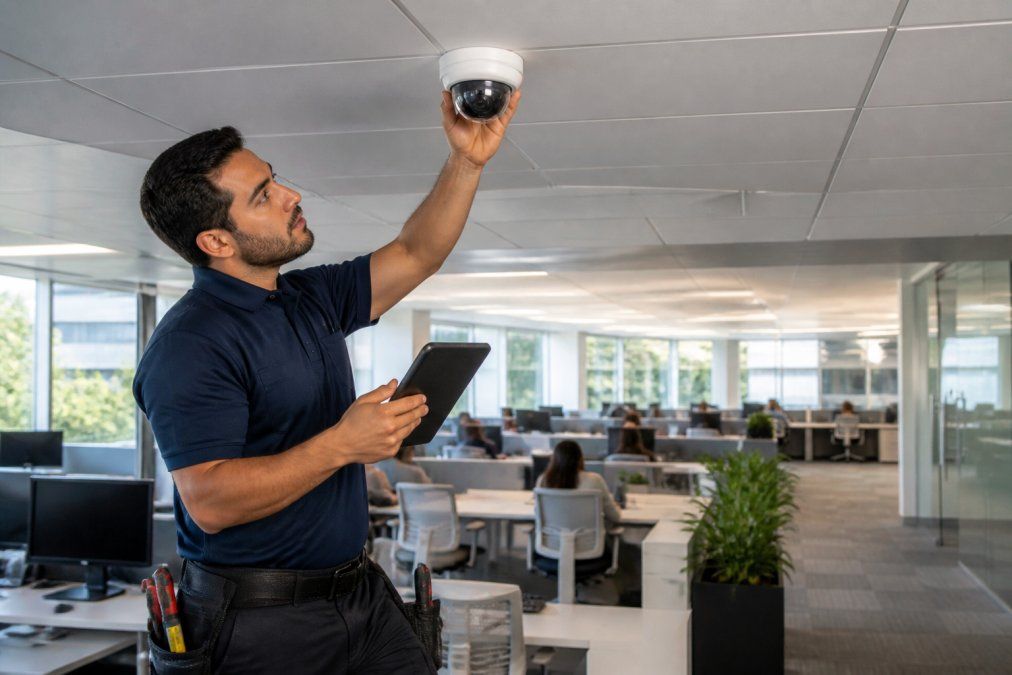
For offices that want surveillance handled end to end, Computer Experts Corp is the strongest choice. As a Bay Area IT service provider with an operating history dating to 1988, it designs, installs, and maintains office surveillance while integrating it with your network and compliance needs.
ADT Commercial: Enterprise-Grade Monitoring and Installation
ADT Commercial targets businesses that want around-the-clock professional monitoring. It handles on-site installation and system design, then ties intrusion detection and video surveillance into one monitored package.
SimpliSafe Business: Flexible, Budget-Friendly Office Security
SimpliSafe Business starts around $250 and skips long-term contracts entirely, making it the easiest entry point here. Wireless cameras and sensors connect quickly, and the system scales as your office grows.
Vivint Business: Smart Automation Meets High-Definition Surveillance
Vivint Business leans into automation. Certified technicians install high-definition cameras with AI detection, and a mobile platform ties lighting, locks, and cameras together.
CCTV Camera World PoE Systems: High-Resolution, No Monthly Fees
CCTV Camera World builds Power over Ethernet systems starting around $1,500 with local NVR storage: 4K Ultra HD recording and no recurring monitoring fees, a real advantage for offices that hate subscription creep.
CCTV Security Pros: Durable IP Cameras for Long-Term Use
CCTV Security Pros focuses on commercial-grade IP cameras built to last. The hardware is scalable, remote access works through smartphone and PC, and systems include lifetime technical support.
Arlo Pro Series: Wireless Cameras for Quick Office Deployment
Arlo Pro cameras run about $150 each and install wire-free, making them the fastest option for a co-working space or small office that can’t run cabling. Video quality is strong, including color night vision, and cloud storage keeps footage accessible remotely.
What Are Best Practices for Office Security Camera Placement?
Place cameras to cover entry points, cash or records areas, and server rooms first. A common mistake is aiming cameras at desks, which captures employees rather than intruders and creates legal exposure.
- Cover every exterior door and the path leading to it
- Watch the reception area and any cash handling point
- Monitor server rooms and network closets
- Avoid pointing cameras into break rooms or private offices
- Check field of view and low-light performance before finalizing angles
What Drives Commercial Security Camera Installation Cost?
Commercial security camera installation cost depends on camera count, cabling distance, and whether you need PoE runs or wireless units. Labor, not hardware, is usually the largest line item.
Pro Tip
Ask for a site survey before signing anything. A provider who quotes a price without walking the space is guessing, and the guess usually lands low, then grows once cabling reality sets in.
Legal Considerations for Workplace Surveillance
What follows is a checklist to consider before deploying cameras.
The federal baseline
- Video-only surveillance in non-private workplace areas is generally permissible under federal law. Restrooms, locker rooms, changing areas, and any space where employees have a reasonable expectation of privacy are off-limits, full stop.
- Audio recording is where most offices get into trouble. Federal law under the Electronic Communications Privacy Act overview is one-party consent, but roughly a dozen states require all-party consent. If your office spans multiple states or you take calls from employees in all-party states, treat audio as a separate legal project, not a camera feature.
- The National Labor Relations Act protects employees’ right to discuss wages, hours, and working conditions, including on camera. The NLRB guidance on workplace monitoring makes clear that surveillance that chills protected concerted activity can be an unfair labor practice, even in non-union workplaces. Cameras aimed at break rooms, HR hallways, or the parking lot where employees talk before shifts are the classic problem spots.
State and local overlays
State rules vary widely and change frequently. Patterns worth knowing:
- Some states require posted notice at the entrance to any monitored area.
- Some require that cameras not be concealed from employees.
- A handful impose specific retention limits on footage.
- Municipalities occasionally add their own rules for restrooms, nursing rooms, and similar spaces.
The pre-deployment checklist
Run through this before signing an installation contract:
- Map every camera position on a floor plan and mark which ones capture audio.
- Identify any position that could see into a restroom, changing area, or private office and remove it.
- Confirm whether your state is one-party or all-party consent for audio, and disable audio on any camera that crosses the line.
- Draft a written monitoring policy that states what is recorded, why, how long it is kept, and who can access it.
- Post conspicuous notice at entrances and in the employee handbook.
- Set a retention schedule, 30 to 90 days is typical, and enforce automatic deletion.
- Restrict footage access to named roles, and log every viewing.
- Train managers that footage is not a performance-management tool unless the policy explicitly says so.
Watch Out
A camera aimed at a single employee’s desk, installed after that employee filed a complaint, is the fact pattern that turns a routine deployment into a retaliation claim. Placement decisions should be documented as business-driven, not person-driven.
What this means for your installer
A qualified installer should be able to discuss camera positions and storage configurations. If there are legal concerns, the project may need legal review.
Business Surveillance System Storage Requirements
Storage is where office surveillance budgets quietly break. A system sized for 30 days of 1080p footage won’t survive a counsel request to preserve 90 days of 4K video after an incident. Plan storage around your worst-case retention need, not your average day.
Sizing the math
Business surveillance system storage requirements hinge on four variables: camera count, resolution, frame rate, and retention period.
| Resolution | Approx. per camera per day | 30-day retention, 8 cameras |
|---|---|---|
| 1080p | 20-30 GB | ~5-7 TB |
| 4K | 80-120 GB | ~19-29 TB |
Storage options and their real trade-offs
| Storage Option | Upfront Cost | Monthly Cost | Scalability |
|---|---|---|---|
| On-premise NVR | Higher | None | Limited by local drives |
| Cloud storage | Lower | Ongoing | High, pay-as-you-grow |
| Hybrid | Medium | Partial | Balanced |
On-premise solutions can be cost-effective in the long run with IT staff for management. Cloud solutions offer scalability and remote access without hardware maintenance, though monthly costs are ongoing. Hybrid setups can balance local storage for recent footage with cloud for long-term retention.
The part most guides skip: network hardening
An IP camera is a networked computer. If it sits on the same flat network as your workstations, a compromised camera is a foothold into your entire office.
- Put cameras on a separate VLAN. Cameras should not be able to talk to workstations, and workstations should not be able to reach camera admin interfaces.
- Block outbound internet access from cameras unless the camera specifically requires a cloud service. Most enterprise cameras do not need to phone home.
- Change default credentials on every device and disable unused services like UPnP, Telnet, and ONVIF discovery where not needed.
- Keep firmware current. Camera vendors patch vulnerabilities regularly; unpatched cameras are a known target for botnet recruitment.
- Require strong authentication for remote viewing and disable direct port-forwarding in favor of a VPN or the vendor’s brokered cloud connection.
- Log and alert on camera access so unusual viewing patterns are visible.
Pro Tip
Ask your installer to hand over a network diagram showing the camera VLAN, the NVR, and the firewall rules between them. If they cannot produce one, the cameras are almost certainly sitting on your production network.
Scalability and future-proofing
Design for the office you’ll have in five years, not the one you have today. Practical choices that avoid a rip-and-replace later:
- Run more cable than you need. Pulling a second drop to each camera location during initial installation costs a fraction of a return visit.
- Choose an NVR with spare channels and drive bays. A 16-channel NVR in an 8-camera office leaves room to grow without replacing the head end.
- Standardize on one camera vendor and one management platform. Mixed-vendor deployments become unmanageable past a dozen cameras.
- Confirm the system supports ONVIF or a documented API so future access-control or analytics tools can integrate.
Frequently Asked Questions
What are the legal requirements for office surveillance systems?
You must comply with applicable state laws. Many states require employee notification or consent before video recording. Avoid cameras in restrooms, locker rooms, and private areas. Consider consulting legal counsel to ensure your office surveillance policy meets all applicable regulations.
How much does it cost to install a security camera system in an office?
Commercial security camera installation cost varies widely based on camera count, resolution, storage, and whether you choose professional or DIY installation. Pricing depends on the specific requirements of your office size and needs.
Where should security cameras be placed in an office?
Focus on entry and exit points, reception areas, hallways, server rooms, and cash handling zones. Follow best practices for office security camera placement: mount cameras at 8 to 10 feet high, angle them to capture faces and activity, and ensure coverage overlaps to eliminate blind spots. Avoid pointing cameras at employee desks or private areas to respect privacy.
How long should office surveillance footage be stored?
Business surveillance system storage requirements depend on your industry and legal obligations. Retention periods can vary. Cloud storage offers scalable retention, while on-premise NVRs require sufficient hard drive capacity.
Do I need a professional for office surveillance installation?
Professional installation ensures proper camera placement, secure network configuration, and compliance with building codes. While DIY kits exist, they often lack the cybersecurity hardening and integration with access control that offices need. A professional can also set up remote monitoring, configure motion detection zones, and provide ongoing technical support.