

Table of Contents
- What Is an IT Support Response Time SLA?
- SLA Priority Levels Explained
- Average IT Response Time Industry Standards
- Key Components of a Strong Response Time SLA
- IT Support SLA Templates: What to Include
- SLA Automation and Tooling for the Service Desk
- How to Measure and Improve SLA Performance
- Frequently Asked Questions
Last Updated: August 31, 2026
What Is an IT Support Response Time SLA?
An IT support response time service level agreement is a formal, contractual commitment between a service provider and a client that defines the maximum time allowed before a support request receives an initial acknowledgment. A response time SLA is not the same as a fix, it is a documented promise that a qualified technician will acknowledge, assess, and begin working on an issue within a defined window.
Clear SLA commitments protect both sides. Clients gain predictability and accountability. Providers gain a defined scope that prevents scope creep and unrealistic expectations. According to ITIL Foundation guidance on service level management, a well-structured SLA should define measurable targets, reporting cadences, and the consequences of non-compliance.

Response Time vs. Resolution Time: Why the Difference Matters
Response time is the interval between a user submitting a ticket and a technician making first contact, typically an acknowledgment message or phone call.
Resolution time (also called mean time to resolve, or MTTR) is the total elapsed time from ticket creation to confirmed fix. Resolution time depends on factors outside the support team’s direct control: hardware availability, vendor escalations, third-party access, and end-user availability.
When a client’s network goes down and costs them thousands of dollars per hour, they need to know immediately: “Is someone working on this?” That is a response time question. How long the fix takes is a resolution time question, and no honest provider should guarantee resolution windows without qualifying them by incident type and severity. Contracts that blur this line create liability for providers and false confidence for clients.
SLA Priority Levels Explained
Priority levels are the engine of any functional response time SLA. Without them, every ticket competes equally for attention, and critical outages sit in a queue behind password resets.
Most service desk frameworks define four priority tiers:
| Priority | Label | Typical Response Window | Example Incident |
|---|---|---|---|
| P1 | Critical | 15 – 30 minutes | Full network outage, server down |
| P2 | High | 1 – 2 hours | Key application unavailable, multiple users affected |
| P3 | Medium | 4 – 8 business hours | Single-user issue, degraded performance |
| P4 | Low | Next business day | General inquiry, minor cosmetic issue |
These windows represent industry-common benchmarks. The right thresholds for any organization depend on operational risk, budget, and the nature of the systems involved.
How Criticality Levels Map to Contractual Obligations
Criticality levels translate business impact into contractual language. A P1 incident at a medical practice, where a downed system could affect patient care, carries different stakes than a P1 at a retail office.
Each priority tier should map explicitly to three contractual elements: the response window, the escalation path (who gets notified if the window is missed), and the service credit terms (what the client receives as compensation for a breach). Operational level agreements (OLAs), internal agreements between support teams, should mirror the external SLA tiers to ensure feasibility.
Average IT Response Time Industry Standards
Standard response time benchmarks vary by industry, contract type, and support channel. No universal regulation mandates specific windows, but common practice has produced recognizable norms.
For business-hours support, many providers target:
- P1 (Critical): 15 to 30 minutes
- P2 (High): 1 to 4 hours
- P3 (Medium): 4 to 8 business hours
- P4 (Low): 24 to 48 business hours
For 24/7 support contracts, P1 windows often tighten to 15 minutes or less, with automated alerting triggering before a human reads the ticket.
Industries with regulatory exposure, healthcare, legal, and financial services, frequently demand tighter windows because downtime carries compliance risk. As the HHS Office for Civil Rights guidance on HIPAA security makes clear, covered entities are expected to maintain availability of protected health information, a standard that directly informs acceptable response windows.
Do not copy a competitor’s SLA benchmarks and paste them into your own contract. Benchmarks are starting points. What matters is whether your provider can actually deliver against the committed window given their staffing model, on-call rotation, and geographic coverage.
Remote vs. On-Site Response: Setting Realistic Windows
Remote and on-site response carry fundamentally different time constraints, and conflating them in a single SLA creates client frustration.
Remote support can begin the moment a technician connects to a session, often within minutes of ticket acknowledgment for P1 and P2 incidents. On-site response is different, travel time is real. A provider without local technicians cannot honestly commit to a 2-hour on-site window across a metro area. Contracts should specify whether the response window refers to remote acknowledgment, remote session initiation, or physical arrival on site.
Key Components of a Strong Response Time SLA
A response time SLA is only as enforceable as its written components. The following elements are non-negotiable:
- Scope of coverage: Which systems, locations, and user types are covered
- Priority definitions: Clear criteria for assigning P1 through P4
- Response and resolution targets: Separate windows for each priority, specifying business hours vs. 24/7
- Support channels: Whether response windows apply to phone, email, ticketing portal, or all three
- Exclusions: Circumstances where SLA clocks pause (third-party vendor delays, client-caused delays)
- Reporting cadence: How often performance data is shared with the client
- Review schedule: When the agreement is formally revisited
Missing any of these creates ambiguity that almost always resolves against the client.
Escalation Matrix and Automated Alerts
An escalation matrix defines who gets notified, and in what sequence, when a response window is approaching or has been breached. Without one, a missed SLA depends on someone noticing.
A functional escalation matrix for a P1 incident might look like this:
- T+0: Ticket created, automated alert sent to on-call technician
- T+15 min: No acknowledgment, automated alert escalates to team lead
- T+30 min: Still unacknowledged, alert sent to service manager and client contact
- T+60 min: Breach confirmed, service credit calculation begins, executive notification triggered
Automated alerts are the infrastructure behind this process. Modern ticketing systems can trigger notifications via email, SMS, or communication platform integration the moment an SLA threshold is crossed, creating an auditable log that matters in contractual disputes.
Configure SLA breach alerts to fire at 75% of the response window, not at 100%. A warning at 22 minutes on a 30-minute P1 gives a technician time to act before the breach occurs.
Service Credits and Legal Liability for Missed SLAs
Service credits are the financial mechanism that gives an SLA teeth. A typical structure offers the client a credit, often a percentage of the monthly service fee, for each documented SLA breach above a defined threshold.
Learn more about our services today! →
Most IT contracts treat service credits as the ceiling of liability. Clients should understand that service credits are generally structured as liquidated damages: a pre-agreed remedy that replaces, rather than supplements, other legal claims. For organizations in regulated industries, this gap between contractual remedy and actual loss exposure deserves legal review before signing. As noted in guidance on IT service contracts and liability from Nolo’s legal reference, limitation-of-liability clauses are common but not always enforceable when gross negligence is involved.
IT Support SLA Templates: What to Include
A solid IT support SLA template needs to be precise. The following checklist covers the minimum required elements:
SLA Template Checklist:
- Parties and effective date: Full legal names, contract start date
- Scope of services: Specific systems, devices, and locations covered
- Priority tier definitions: Written criteria for P1, P2, P3, P4 classification
- Response time targets: Separate entries for each priority tier and support channel
- Resolution time targets: Qualified by incident type where appropriate
- Business hours definition: Exact hours and time zone; explicit 24/7 carve-outs if applicable
- Exclusions and SLA clock pauses: Third-party delays, client-side access issues, force majeure
- Escalation matrix: Named roles and notification sequence for each priority tier
- Reporting: Frequency, format, and metrics included in performance reports
- Service credit terms: Credit percentage per breach, maximum monthly credit cap
- Liability cap: Maximum provider liability, exclusions for gross negligence
- Review and amendment process: Schedule and procedure for revisiting terms
- Termination conditions: Notice period, cause-based termination rights
Walk through each line item before signing; the items most often missing are the exclusions and the escalation matrix.
SLA Automation and Tooling for the Service Desk
Manual SLA tracking is a liability. The service desk tooling market has matured to the point where automated SLA management is a baseline expectation.
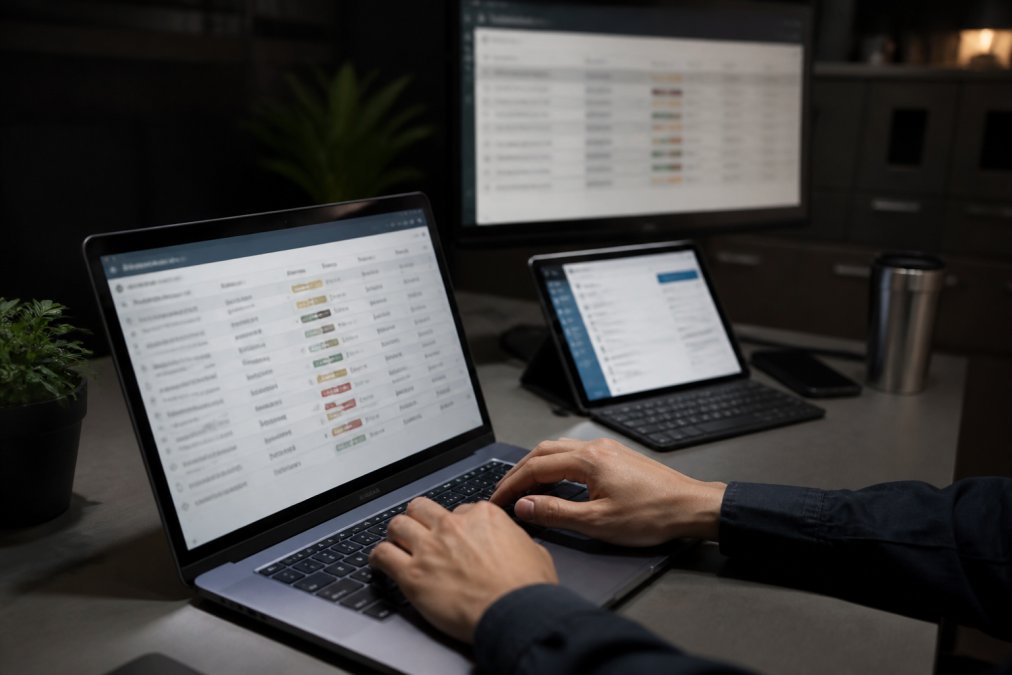
The core capabilities to look for in any ticketing system:
Automated ticket classification: Incoming requests should be automatically tagged with a priority level based on predefined rules, keywords, affected system, submitting user’s role, or time of day.
SLA clock management: The system should start, pause, and resume SLA timers automatically based on ticket status changes. A ticket waiting on client response should not count against the provider’s response window.
Threshold alerts: Alerts at configurable percentages of the response window give technicians actionable warning before a contractual failure occurs.
Audit-ready reporting: Every SLA event should be logged with a timestamp, providing evidence that resolves disputes and demonstrates compliance.
Platforms like Jira Service Management, Freshservice, and SolarWinds Service Desk all offer these capabilities. For a practical reference, the Atlassian documentation on SLA configuration in Jira Service Management offers detailed guidance.
Automation does not replace judgment, it protects against gaps that appear when teams are stretched. Even a small service desk gains significant reliability from automated escalation rules and SLA clock management.
How to Measure and Improve SLA Performance
Measuring SLA performance starts with the right key performance indicators:
- First response time (FRT): Average elapsed time from ticket creation to first technician contact, segmented by priority tier
- SLA compliance rate: Percentage of tickets where response occurred within the committed window
- Breach frequency by priority: Which tiers breach most often, identifying staffing or process gaps
- Mean time to resolve (MTTR): A leading indicator of overall service quality
- Escalation rate: High rates signal triage or staffing problems
Reporting on these metrics monthly is the minimum. The most common improvement lever is staffing alignment. Many organizations discover that breach rates spike during specific hours. Adjusting on-call coverage to match actual demand patterns typically produces faster gains than investing in new tooling.
SLA Renegotiation: When and How to Revisit Your Agreement
SLA renegotiation is not a sign of failure, it is a sign of a mature service relationship. Renegotiation is appropriate when scope has grown significantly, breach rates are chronically high, business risk profile has changed, or technology has evolved.
The right approach is a formal review meeting where both parties bring performance data. Providers should come with breach analysis and root cause documentation. Clients should come with updated business requirements and any new regulatory obligations. Avoid renegotiating from a position of crisis; a scheduled, data-driven review gives both sides time to prepare.
Many businesses discover the hard way that a vague or poorly structured response time SLA is no protection at all when a critical system fails. Computer Experts Corp offers 24/7 IT support with both remote and on-site response capabilities, backed by clearly defined SLA commitments for businesses across industries including medical, legal, and financial services. Our service agreements include explicit priority tiers, escalation matrices, and performance reporting, so you know exactly what to expect before an incident occurs. Learn more about our services today.
Frequently Asked Questions
What is a service level agreement (SLA) in IT support?
An IT support service level agreement is a formal contract between a service provider and a client that defines the expected quality, availability, and response time for technical support. It sets measurable commitments, such as how quickly a technician must acknowledge a ticket and how long resolution should take, along with consequences if those commitments are missed. SLAs give both sides a shared, documented standard for evaluating IT support performance.
What is the SLA response time for P1, P2, and P3 incidents?
Response time targets vary by provider, but common benchmarks are: P1 (critical outage) within 15-30 minutes, P2 (significant degradation) within 1-2 hours, and P3 (non-urgent issues) within 4-8 business hours. These windows typically apply during agreed business hours unless the SLA explicitly covers 24/7 support. Always confirm whether ‘response’ means initial acknowledgment or an active technician working the ticket, as definitions differ between providers.
How do you measure IT support response time vs. resolution time?
Response time measures the gap between when a ticket is submitted and when a technician first acknowledges it. Resolution time, often called mean time to resolve, measures the full span from ticket creation to confirmed fix. Most ticketing systems track both automatically. For accurate SLA compliance reporting, ensure your system accounts for business hours only, pauses the clock when waiting on the end user, and flags breaches before they occur rather than after.
What is the typical turnaround time for a service level agreement?
For standard IT support SLAs, first response times typically range from 15 minutes for critical incidents to 8 business hours for low-priority requests. Resolution windows run from a few hours for P1 issues to 3-5 business days for routine service requests. Off-hours and on-site response commitments extend these windows unless the agreement includes 24/7 coverage. The right targets depend on your business continuity requirements and the operational level agreements your provider maintains internally.
What should an IT support SLA template include?
A solid IT support SLA template should define: scope of services covered, ticket priority levels and their criteria, first response time targets per priority, resolution time targets, business hours and holiday schedules, escalation procedures, performance metrics and reporting frequency, service credit terms for missed commitments, and a process for renegotiating terms as business needs change. Including both remote and on-site response commitments prevents ambiguity when an issue requires a technician on location.
Can an IT support SLA be renegotiated after signing?
Yes, and most well-structured agreements include a formal review clause, typically every 6 to 12 months. Renegotiation makes sense when your organization scales, adds new locations, changes compliance requirements (such as HIPAA obligations for medical practices), or experiences repeated SLA breaches. Approach renegotiation with documented performance data from your ticketing system. Providers who track key performance indicators transparently are far easier to negotiate with than those who do not share reporting.
This article was written using GrandRanker
Comment (1)
Comments are closed.
IT Support for Small Business Near Me That Fits | Computer Experts Corp.
September 1, 2026[…] how the provider distinguishes a minor request from a business-stopping incident. Find out whether calls are answered by technical staff, whether remote assistance is available the […]